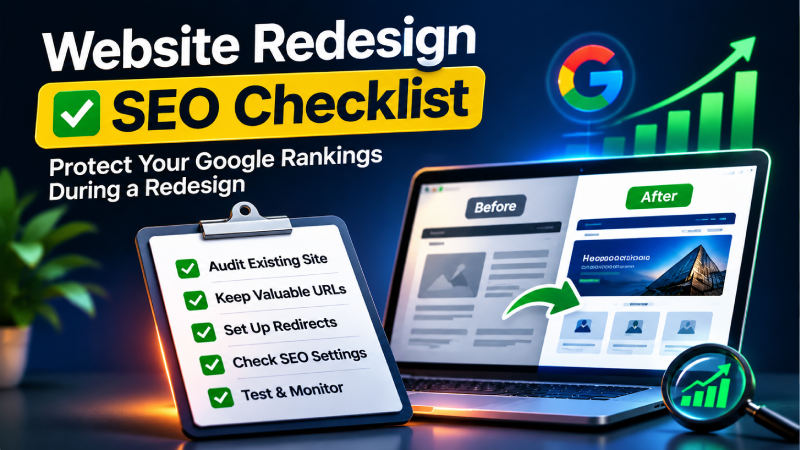

A website redesign SEO checklist helps you protect your Google rankings while improving your website’s design, speed, and user experience. Without proper planning, changes to URLs, content, internal links, and website structure can affect your existing search visibility. Before launching a new website, you need to know what to keep, what to update, and what to check. This guide covers the essential SEO steps to follow before, during, and after a website redesign.
Website Redesign SEO Checklist
| Stage | SEO Checklist |
|---|---|
| Before Redesign | Audit existing website pages |
| Before Redesign | Identify valuable URLs and keywords |
| Before Redesign | Record traffic, rankings, and conversions |
| Before Launch | Prepare URL mapping and redirects |
| Before Launch | Check titles, content, and canonical tags |
| Before Launch | Review robots.txt and indexing settings |
| Before Launch | Check internal links and navigation |
| Before Launch | Test mobile usability and website speed |
| After Launch | Submit updated XML sitemap |
| After Launch | Check redirects and broken links |
| After Launch | Monitor Google Search Console |
| After Launch | Track traffic, rankings, and enquiries |
1. Audit Your Existing Website Before Redesigning It
Before starting a website redesign, check your existing website to understand which pages are performing well. Some pages may already bring visitors from Google, generate customer enquiries, or receive links from other websites.
A website audit is an important first step when planning a website redesign for SEO, as it helps you identify existing pages that contribute to your search visibility. Deleting or changing these pages without checking their value can affect your existing SEO performance. Start with a complete website audit.
Review your important pages and collect the following information:
- Current URL: Record the existing address of each important page.
- Page Title: Note the title shown in Google search results.
- Main Topic: Identify what each page is about.
- Organic Traffic: Check how many visitors come from Google.
- Ranking Keywords: Record the important search terms that bring visitors.
- Backlinks: Check whether other websites link to the page.
- Conversions: Identify pages that generate enquiries, calls, or sales.
- Indexing Status: Check whether Google has included the page in its search results.
After reviewing your pages, decide what you should do with each one:
- Keep: Leave pages unchanged if they are already performing well.
- Improve: Update pages with outdated or incomplete information.
- Merge: Combine similar pages when they cover the same subject.
- Redirect: Send visitors from an old page to a relevant replacement.
- Remove: Delete pages that are no longer useful and have no suitable replacement.
If you are comparing professional SEO providers, explore our guide to the top 10 SEO agencies in Bangladesh to learn about their services and how to choose the right agency.
2. Protect Valuable URLs, Content and Keywords

A website redesign does not mean you need to change everything. Your existing page addresses, content, and search topics may already have value. If a page is performing well on Google, try to keep its existing URL and important content whenever possible.
For example, if your website has a service page ranking for “local SEO services”, keep the same page address and make sure the redesigned version still explains your local SEO services clearly. You can improve the design, update images, change the layout, and make the content easier to read without changing the main purpose of the page.
Check the following before changing existing pages:
- Keep important URLs whenever possible
- Preserve useful content that already attracts visitors
- Keep important keywords naturally within the page
- Maintain the original purpose of each important page
- Update outdated information without removing useful details
- Make sure the redesigned page still answers the same customer questions
Also, avoid changing several important elements of a high-performing page without a clear reason. Keeping its main content and purpose can make the website redesign SEO process easier to manage.
To understand how search optimization is changing, read our guide on AI SEO vs Traditional SEO and learn how businesses can prepare for AI-powered search.
3. Create a URL Map and Set Up Correct Redirects
Sometimes, a website redesign requires changing page addresses. You may remove old pages, combine similar services, or create a new website structure. When this happens, visitors and Google need to know where the old pages have moved.
A website relaunch SEO checklist should include a clear URL mapping plan to make sure visitors can find the right pages after launch.
A 301 redirect automatically sends visitors from an old website address to a new one. It also tells Google that the page has permanently moved. Before launching your redesigned website, prepare a URL mapping document. This document connects every important old URL with its new destination.
For example:
| Old Website URL | New Website URL |
|---|---|
/old-seo-services/ |
/services/seo/ |
/web-design-old/ |
/services/web-design/ |
/old-about-us/ |
/about-us/ |
Make sure each old page points to the closest relevant new page. Do not redirect unrelated pages to your homepage just to avoid errors. If a page has been removed and there is no suitable replacement, it may be better to return a proper 404 or 410 error rather than send visitors to an unrelated page.
Important redirect checks before launch:
- Create a list of old and new website URLs
- Set up 301 redirects for permanently changed URLs
- Redirect old pages to relevant replacement pages
- Avoid redirect chains and unnecessary redirects
- Check that important old URLs open their correct new pages
- Remove redirect rules that are no longer needed
Google’s website migration guidance provides further information about moving a website without unnecessary search problems.
4. Check Technical SEO Before Launch
Before your new website goes live, check that Google can access its important pages and that everything works correctly. During development, website owners sometimes block Google from accessing a test website. This is normal, but those restrictions must be removed before the new website goes live.
Technical checks are an important part of an SEO-friendly website redesign, helping search engines access and understand your updated website. Here are the important things to check:
Robots.txt
This file tells search engines which parts of your website they can access. Make sure important website pages are not accidentally blocked.
Meta Robots
Check that important pages are not marked as noindex. This setting tells Google not to include a page in its search results.
Canonical Tags
These help Google understand which version of a page should be treated as the main version. Make sure they point to the correct website URLs.
HTTPS
Make sure your website uses a secure connection. All important pages should load through HTTPS.
XML Sitemap
Your sitemap provides Google with a list of important website pages. Update it with the correct URLs after the redesign.
Page Status
Check that important pages open correctly instead of showing errors or missing-page messages.
Page Titles and Meta Descriptions
Make sure important pages have clear titles and descriptions that explain their content.
Mobile-Friendly Design
Check that your website works properly on mobile phones and tablets. Text, images, menus, and buttons should be easy to use.
Website Speed
Test your website loading speed. Large images, unnecessary plugins, and poorly managed website files can make pages slower.
Structured Data
If your existing website uses structured data to describe products, services, articles, or business information, check that it is still correct after the redesign.
Technical SEO Checklist:
- Check robots.txt settings
- Review page indexing settings
- Verify canonical URLs
- Check HTTPS across the website
- Update the XML sitemap
- Test important page addresses
- Review page titles and descriptions
- Check mobile usability
- Test website loading speed
- Review existing structured data
5. Protect Internal Links, Navigation and Website Structure
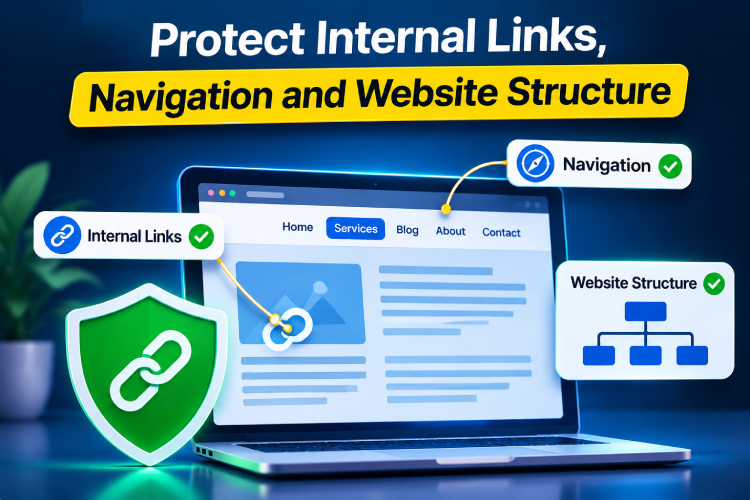
A website redesign often changes menus, page layouts, and the way visitors move between different sections. If important pages become difficult to find, visitors may struggle to understand your website or locate the services they need. Your new website should have a clear structure. Important pages should be easy to reach from the homepage or main navigation menu.
For example: Home → Services → SEO Services → Local SEO
This type of structure helps visitors understand where they are and how to find related information. Internal links are also important. These are links that connect one page of your website to another.
For example, your SEO services page can link to related service information or useful blog articles. This helps visitors discover more relevant information without returning to the homepage.
What to check during a website redesign:
- Keep important service pages in the main navigation menu.
- Connect related pages using useful internal links.
- Make sure visitors can easily return to the homepage.
- Avoid hiding important pages behind too many menu levels.
- Replace old internal links with the correct new URLs.
- Remove links that lead to deleted or unrelated pages.
- Check that buttons and navigation menus work properly.
Fyzat’s custom website design and development services include website structure, user-friendly navigation, responsive design, and SEO-friendly development.
6. Test, Launch and Monitor the Redesigned Website
Completing the website design does not mean the work is finished. Before launching, test the new website to make sure its pages, links, forms, and important features work properly. Once the website is live, continue checking its performance.
Google may need time to revisit the updated pages and process the changes. Following an SEO redesign checklist and knowing how to update site SEO can help you identify problems before they affect your website’s performance.
Google Search Console is particularly useful after a website redesign. It helps you check whether Google can access your pages, identify indexing problems, and monitor changes in search performance. Also, compare your new website performance with the information you collected before the redesign.
Before launching the new website:
- Open important website pages and check their content.
- Test old URLs and their redirects.
- Check that all internal links work.
- Test contact forms and enquiry buttons.
- Review mobile and desktop layouts.
- Check images and page loading speed.
- Make sure Google can access important pages.
- Confirm that website tracking is working.
After launching the new website:
- Submit the updated XML sitemap through Google Search Console.
- Check for missing pages and broken links.
- Monitor indexing and crawling problems.
- Review organic traffic and keyword rankings.
- Check important service pages regularly.
- Monitor customer enquiries and conversions.
- Fix any problems discovered after launch.
Avoid making unnecessary changes just because you notice small ranking movements immediately after launch. First, check whether there are actual website problems that need attention.
Final Thoughts
A successful website redesign SEO checklist helps protect your existing Google rankings while improving website design, speed, and user experience. Remember to preserve valuable URLs, content, and internal links, and test everything before launch. Fyzat helps businesses build SEO-friendly websites that support better user experience and online growth.
Planning a website redesign? Contact Fyzat to discuss your project.
FAQ
Yes. Rankings can be affected when URLs, content, internal links, indexation settings, or technical elements are changed incorrectly.
Audit your current website first, preserve valuable pages where possible, map changed URLs, implement correct redirects, protect useful content, and monitor Search Console after launch.
Only when there is a good reason. If an existing URL is clean, relevant, and performing well, keeping it can reduce migration complexity.
Google states that 301 and other permanent redirects do not lose PageRank by themselves. They should still point users and search engines to the most relevant replacement page.
Do not delete pages automatically. Review their traffic, rankings, backlinks, content value, and conversions before deciding whether to keep, merge, redirect, or remove them.
Old URLs may return errors, users may reach dead pages, backlinks may stop reaching the intended content, and search engines may need to rediscover the new structure without clear migration signals.
Yes, especially when URLs change. Keep the sitemap focused on the preferred indexable URLs and submit it through Search Console.
There is no universal timeframe. Google notes that a small or medium site move may take a few weeks for most pages to move in its index, while larger migrations can take longer.
SEO should be included before and throughout the redesign. Waiting until after launch can make preventable migration problems harder to fix.
Monitor organic traffic, important rankings, indexing, crawl issues, redirects, conversions, Core Web Vitals, broken links, and important landing pages.