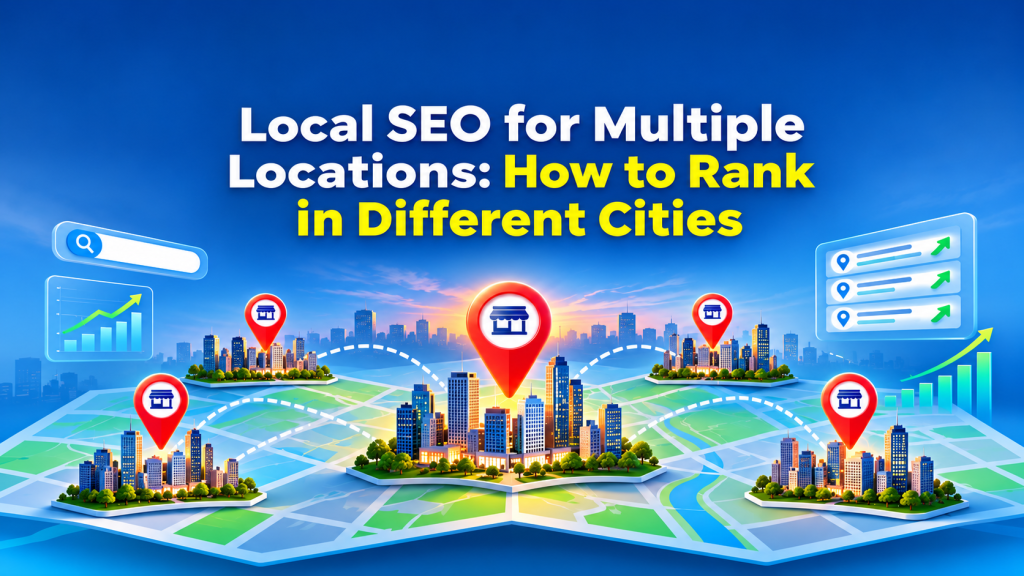
Local SEO for Multiple Locations: How to Rank in Different Cities
Local SEO for multiple locations helps businesses appear in Google Search and Maps across different cities, towns and service areas. It involves managing Google Business Profiles, creating location pages, researching local keywords and building a good reputation in each market. A business does not need a separate website for every branch. One well-organized website can support several locations and help customers find the right branch or service. However, ranking in one city does not mean your business will automatically rank in another. Each location has different competitors, customer needs and search opportunities. This guide explains how to build a multi-location SEO strategy, manage business listings, create useful location pages and track results across different areas. What Is Local SEO for Multiple Locations? Local SEO for multiple locations is the process of improving a business’s search visibility in more than one geographic area. It helps customers find nearby stores, offices, branches and service providers through relevant local searches. This approach is suitable for: Businesses with multiple physical branches Franchise and chain businesses Restaurants with several outlets Healthcare providers with different clinics Cleaning and home maintenance companies Real estate agencies Businesses serving several cities from one location The main purpose is to connect customers with the correct business location based on their needs. How Does Multi-Location SEO Work? Google considers three main factors when displaying local business results: relevance, distance and prominence. Ranking Factor What It Means Relevance How closely a business matches the search Distance How far the business is from the search location Prominence How well-known the business appears to be A restaurant close to a customer may appear higher in local results than another branch of the same restaurant several miles away. This explains why businesses often see different ranking positions in different cities. Google explains these factors in its guide to improving local rankings. Google Maps Rankings vs Organic Search Rankings Google Maps and regular website search results provide two different ways for local businesses to reach customers. Google Maps Results Organic Search Results Display eligible Google Business Profiles Display relevant website pages Strongly influenced by business proximity Can reach customers across wider areas Show business hours, ratings and contact details Provide detailed service and business information Support calls, directions and website visits Support website enquiries, bookings and research A business can rank organically for a city where it provides services without having a physical branch there. However, publishing a location page does not automatically give the business permission to create a Google Business Profile in that city. Physical Business Locations vs Service-Area Businesses Before building a multi-location SEO strategy, identify how your business operates. Some businesses welcome customers at their premises. Others travel to customers and provide services at their homes or workplaces. Business Feature Physical Business Location Service-Area Business Customer visits Customers visit the premises Business travels to customers Business address Public when eligible Hidden if customers are not served there Google Business Profile Each eligible branch Each eligible operating location Website page Branch location page Service area page Useful photographs Storefront, premises and staff Equipment, team and completed work Main customer action Visit, call or book Request a quote or book a service Some businesses operate as both. A repair company may welcome customers at its workshop while also providing services at customer properties. The correct business type determines how you should manage your local listings and website pages. How to Do Local SEO for Multiple Locations A successful multi-location SEO strategy requires careful planning. Start with business information, then work on search terms, website pages and local reputation. 1. Create a Business Location Database Keep all important branch information in one spreadsheet or business management system. Record the following details for each location: Business name Physical address, where applicable Phone number Opening hours Branch manager Available services Areas served Website page address Google Business Profile status Assign someone to check this information regularly. A central record helps prevent different departments from publishing conflicting business details. 2. Research Local Keywords for Each City Local keyword research helps you understand how customers search for businesses in different areas. Search terms may include: Service name and city Service name and neighbourhood Business type and location Near me searches Local service prices Service availability questions Customers in one city may use different words from customers in another city, even when they need the same service. Use tools such as Google Keyword Planner and Google Search Console to understand local search demand. Do not choose keywords based only on search volume. Check whether the searches match your services and customer requirements. 3. Study Local Competitors Search for your main services in each target city and review the businesses that appear in the results. Pay attention to: Services offered by local competitors Information included on their location pages Customer reviews and common complaints Pricing information Local business directories Contact and booking options This research can reveal information that your competitors provide but your website does not. Use the findings to improve your own business information rather than copying competitor content. 4. Organize Your Website Pages Give each important service and location a clear place on your website. Customers should be able to select a service, choose a location and contact the correct branch without difficulty. A large business may need a central location directory, while a smaller company may only need a few dedicated city pages. 5. Build Local Business Listings Business listings, also called local citations, are online references to your company’s name, address and phone number. Choose relevant directories, industry websites and local business platforms where customers may search for your services. Check existing listings before creating new ones. Correct outdated details and remove unnecessary duplicate listings where possible. Quality and relevance matter more than the total number of directories. 6. Collect Genuine Customer Reviews Create a simple process for asking customers to review their actual experience with your business. Send the correct review link based on the branch or service location involved. Give all genuine customers