Website Design

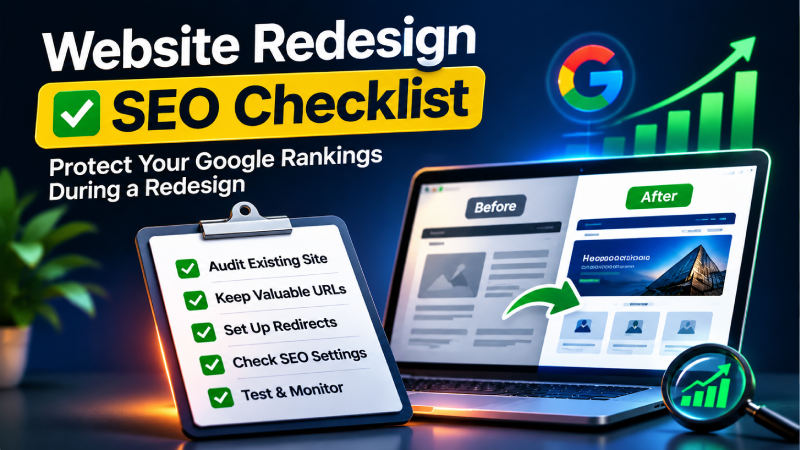
Website Redesign SEO Checklist
SEO, Website Design

Website Redesign SEO Checklist: How to Redesign Without Losing Rankings

A website redesign SEO checklist helps you protect your Google rankings while improving your website’s design, speed, and user experience. Without proper planning, changes to URLs, content, internal links, and website structure can affect your existing search visibility. Before launching a new website, you need to know what to keep, what to update, and what to check. This guide covers the essential SEO steps to follow before, during, and after a website redesign. Website Redesign SEO Checklist Stage SEO Checklist Before Redesign Audit existing website pages Before Redesign Identify valuable URLs and keywords Before Redesign Record traffic, rankings, and conversions Before Launch Prepare URL mapping and redirects Before Launch Check titles, content, and canonical tags Before Launch Review robots.txt and indexing settings Before Launch Check internal links and navigation Before Launch Test mobile usability and website speed After Launch Submit updated XML sitemap After Launch Check redirects and broken links After Launch Monitor Google Search Console After Launch Track traffic, rankings, and enquiries 1. Audit Your Existing Website Before Redesigning It Before starting a website redesign, check your existing website to understand which pages are performing well. Some pages may already bring visitors from Google, generate customer enquiries, or receive links from other websites. A website audit is an important first step when planning a website redesign for SEO, as it helps you identify existing pages that contribute to your search visibility. Deleting or changing these pages without checking their value can affect your existing SEO performance. Start with a complete website audit. Review your important pages and collect the following information: Current URL: Record the existing address of each important page. Page Title: Note the title shown in Google search results. Main Topic: Identify what each page is about. Organic Traffic: Check how many visitors come from Google. Ranking Keywords: Record the important search terms that bring visitors. Backlinks: Check whether other websites link to the page. Conversions: Identify pages that generate enquiries, calls, or sales. Indexing Status: Check whether Google has included the page in its search results. After reviewing your pages, decide what you should do with each one: Keep: Leave pages unchanged if they are already performing well. Improve: Update pages with outdated or incomplete information. Merge: Combine similar pages when they cover the same subject. Redirect: Send visitors from an old page to a relevant replacement. Remove: Delete pages that are no longer useful and have no suitable replacement. If you are comparing professional SEO providers, explore our guide to the top 10 SEO agencies in Bangladesh to learn about their services and how to choose the right agency. 2. Protect Valuable URLs, Content and Keywords A website redesign does not mean you need to change everything. Your existing page addresses, content, and search topics may already have value. If a page is performing well on Google, try to keep its existing URL and important content whenever possible. For example, if your website has a service page ranking for “local SEO services”, keep the same page address and make sure the redesigned version still explains your local SEO services clearly. You can improve the design, update images, change the layout, and make the content easier to read without changing the main purpose of the page. Check the following before changing existing pages: Keep important URLs whenever possible Preserve useful content that already attracts visitors Keep important keywords naturally within the page Maintain the original purpose of each important page Update outdated information without removing useful details Make sure the redesigned page still answers the same customer questions Also, avoid changing several important elements of a high-performing page without a clear reason. Keeping its main content and purpose can make the website redesign SEO process easier to manage. To understand how search optimization is changing, read our guide on AI SEO vs Traditional SEO and learn how businesses can prepare for AI-powered search. 3. Create a URL Map and Set Up Correct Redirects Sometimes, a website redesign requires changing page addresses. You may remove old pages, combine similar services, or create a new website structure. When this happens, visitors and Google need to know where the old pages have moved. A website relaunch SEO checklist should include a clear URL mapping plan to make sure visitors can find the right pages after launch. A 301 redirect automatically sends visitors from an old website address to a new one. It also tells Google that the page has permanently moved. Before launching your redesigned website, prepare a URL mapping document. This document connects every important old URL with its new destination. For example: Old Website URL New Website URL /old-seo-services/ /services/seo/ /web-design-old/ /services/web-design/ /old-about-us/ /about-us/ Make sure each old page points to the closest relevant new page. Do not redirect unrelated pages to your homepage just to avoid errors. If a page has been removed and there is no suitable replacement, it may be better to return a proper 404 or 410 error rather than send visitors to an unrelated page. Important redirect checks before launch: Create a list of old and new website URLs Set up 301 redirects for permanently changed URLs Redirect old pages to relevant replacement pages Avoid redirect chains and unnecessary redirects Check that important old URLs open their correct new pages Remove redirect rules that are no longer needed Google’s website migration guidance provides further information about moving a website without unnecessary search problems. 4. Check Technical SEO Before Launch Before your new website goes live, check that Google can access its important pages and that everything works correctly. During development, website owners sometimes block Google from accessing a test website. This is normal, but those restrictions must be removed before the new website goes live. Technical checks are an important part of an SEO-friendly website redesign, helping search engines access and understand your updated website. Here are the important things to check: Robots.txt This file tells search engines which parts of your website they can access. Make sure important website pages
Website Traffic but No Leads? 12 Problems to Fix
Website Design

Why Your Website Gets Traffic but No Leads: 12 Problems to Fix

Your website gets visitors, but are they becoming customers? If you have website traffic but no leads, your website may have problems with its content, design, offers, or contact process. Getting more visitors is not always the answer. You also need to attract the right audience and make it easy for people to contact your business. Here are 12 common problems to check and fix. Website Traffic vs Lead Generation Website Getting Traffic Website Generating Leads Attracts general visitors Attracts potential customers Targets broad keywords Targets relevant customer keywords Provides general information Explains services and solutions Has unclear CTAs Uses clear contact buttons Shows limited customer reviews Displays genuine reviews and testimonials Has complicated contact forms Uses simple enquiry forms Focuses on visitor numbers Tracks enquiries and conversions Does not measure lead performance Measures calls, forms, and sales Why Your Website Gets Traffic but No Leads Before making changes, understand that website traffic and lead generation are two different things. Getting visitors means people are finding your website. Generating leads means those visitors are taking action. A website needs to attract the right audience and make it easy for them to contact your business. 1. Your Keywords Attract the Wrong Visitors Keywords are the words people type into Google when they search for something. If your website uses keywords that attract people who are not interested in your services, you may get visitors but very few enquiries. For example, someone searching for free SEO learning materials may not be interested in hiring an SEO company. How to Attract the Right Visitors Search intent behind your target keywords. Commercial and service-related keywords. Location-based search terms. Keywords used by potential customers. Search queries that generate enquiries. 2. Your Content Targets the Wrong Audience Your website content may attract people who are interested in your industry but are not your actual customers. For example, if you provide website development for businesses, your content should reach business owners who need websites, not only people looking for programming tutorials. How to Reach Your Target Customers Your target customers. Their common problems. The services they need. Their preferred locations. Questions they ask before hiring a company. 3. Your Landing Page Does Not Match Search Intent People visit your website expecting to find something specific. If the page does not provide the information they searched for, they may leave. For example, someone searching for website design services expects to see your website design services, pricing information, and contact options. How to Improve Your Page Content Service searches should lead to relevant service pages. Informational searches should lead to helpful articles. Comparison searches should provide clear comparisons. Location-based searches should show relevant local information. 4. Your Business Offer Is Not Clear When someone visits your website, they should quickly understand what you sell, which services you provide, and who can benefit from them. If your homepage does not explain these things clearly, visitors may leave without contacting you. How to Explain Your Services Clearly What your business offers. Who your services are for. What problems you solve. What makes your services useful. How customers can get started. 5. Your Call to Action Is Weak or Hidden A call to action (CTA) tells visitors what to do next. If your website does not have clear CTAs, visitors may read your content and leave without contacting you. Use simple and direct CTA text that explains the next step. Place your CTAs where visitors are likely to need them, including service pages, landing pages, and important sections of longer articles. How to Make Contact Buttons More Visible Request a Free Quote. Book a Consultation. Get an SEO Audit. Contact Our Team. Start Your Project. Request a Website Review. 6. Your Offer Does Not Give Visitors a Reason to Contact You A simple contact button may not be enough to encourage visitors to take action. People want to know what they will receive after contacting your business. Explain the next step and make the process clear. Your offer should communicate the value of contacting your team, what information they need to provide, and what happens after submitting an enquiry. How to Make Your Offer More Attractive Explain the benefits of your services. Show what makes your offer useful. Clearly explain what customers receive. Tell visitors what happens after they contact you. 7. Your Website Does Not Build Enough Trust People may hesitate to contact a business if they cannot find enough information about its experience and reliability. Your website should help visitors understand who runs the business, what services it provides, and what previous customers think about it. How to Build Customer Trust Customer reviews and testimonials. Previous projects and portfolio. Team information. Business address and contact details. Relevant certifications. Real photographs. Case studies. Clear service information. 8. Your Website Makes Claims Without Evidence Your website may say that you provide the best services or guaranteed results, but visitors cannot see any proof to support those claims. This can make your business look less trustworthy. For service businesses, useful evidence can include completed projects, genuine customer feedback, before-and-after results, and measurable improvements. Keep all results accurate and supported by real information. How to Show Proof of Your Work Show real customer feedback. Share completed projects. Add case studies with verified results. Include genuine photographs of your work. Support important business claims with evidence. 9. Your Website Not Responsive A slow or confusing website can make visitors leave before they contact you. Your website should work properly on mobile phones, tablets, and desktop computers. Important information and contact options should be easy to find. How to Improve Your Website Experience Page loading speed. Mobile-friendly design. Easy navigation. Readable text. Working buttons and links. Secure website connection. Properly displayed images. Clear contact information. If your website needs design improvements, Fyzat provides custom website design and development services to help businesses build user-friendly websites. 10. Your Contact Form Is Too Long A long contact form can discourage visitors from submitting an enquiry. Only ask

Top 10 web development companies in Bangladesh for business website projects
Website Design

Top 10 Web Development Companies in Bangladesh

Bangladesh has many companies offering website design, web development, and software solutions. But not every company offers the same services. This guide highlights 10 web development companies in Bangladesh to help you compare your options. Top 10 Web Development Companies in Bangladesh – At a Glance Company Website Main Services Best For Fyzat fyzat.com Website design, development, SEO, content writing, digital marketing Small businesses needing websites and marketing support Dcastalia dcastalia.com WordPress, web development, e-commerce, software development Custom websites and online stores Enosis Solutions enosisbd.com Web applications, software development, testing, maintenance Complex software and web applications Kaz Software kaz.com.bd Custom software, web applications, e-commerce, digital products Custom applications and advanced website features Flyte Solutions flytesolutions.com Web applications, front-end and back-end development, testing Custom software projects SJ Innovation sjinnovation.com Web development, mobile development, content management Website and mobile development projects Notionhive notionhive.com Website design, development, branding, creative services Website projects combined with branding VISER X viserx.com Website development, SEO, digital marketing Website development and marketing BJIT bjit.co.jp Software development and technology services Larger software development projects Riseup Labs riseuplabs.com Software development and digital products Custom technology projects ✓ Tips for Choosing the Right Web Development Company Check the company’s previous work, experience, and customer reviews before hiring. Compare project prices, delivery times, and after-launch support. Choose a team that understands your requirements and explains its work clearly. What Does a Web Development Company Do? A web development company builds websites and the features that allow them to work. Its work can include creating website pages, setting up contact forms, developing online shopping features, and building custom systems for businesses. Depending on the project, a development company may work on: Business and corporate websites E-commerce websites and online stores WordPress websites Custom web applications Customer account and management systems Website maintenance and improvements Some companies also provide website design, SEO, and digital marketing. Others mainly focus on software development and custom applications. 1. Fyzat Fyzat provides website design and development alongside digital marketing services. Its services cover business websites, website improvements, SEO, content writing, Google Ads management, and social media marketing. This range of services can help businesses manage their website development and online marketing requirements through one provider. Fyzat’s custom website design and development services are suitable for businesses that need a professional website to present their services, share information, and receive customer enquiries. Businesses can also combine website development with organic search engine optimization and creative content writing to improve their website content and search visibility. Main Services Website design and development Business website development Website improvements Search engine optimization Content writing Google Ads management Social media marketing Best For Small businesses, service providers, startups, and growing companies looking for website development with digital marketing support. Before starting a project, discuss your required features, budget, delivery time, and support requirements with the Fyzat team. 2. Dcastalia Dcastalia is a Bangladesh-based software development company offering website development, WordPress development, e-commerce development, and technical support. Its website features projects completed for different businesses, including corporate and e-commerce websites. These examples give potential clients an opportunity to review its development work. The company’s WordPress and e-commerce services are relevant to businesses that need a content-managed website or an online store. Main Services of Dcastalia Website development WordPress development E-commerce development Software development Technical support Dcastalia Best For Businesses looking for WordPress websites, custom website development, and online store solutions. 3. Enosis Solutions Enosis Solutions focuses on software development and engineering. Its services include web applications, software testing, product improvements, and ongoing development support. The company works on projects that require more than a standard business website. Its development services are relevant to technology companies and businesses planning custom software. Its software testing services are also worth considering when a project requires careful checking before release. Main Services of Enosis Solution Web application development Full-stack development Software testing Software improvements Software maintenance Enosis Solution Best For Technology companies and businesses that need custom software or complex web applications. 4. Kaz Software Kaz Software develops custom applications and digital products for businesses. Its website highlights projects involving online shopping, learning systems, mapping tools, and other software solutions. Its work is relevant to businesses that need specific features designed around their operations rather than relying only on standard website functions. Kaz Software is worth exploring when a project requires custom development or a specialised digital product. Main Services of Kaz Software Custom software development Web application development E-commerce platforms Digital product development Custom business solutions Kaz Software Best For Businesses and technology companies that need custom applications or advanced website features. 5. Flyte Solutions Flyte Solutions provides software development services covering different stages of application development. Its services include front-end development, back-end development, software testing, and mobile development. This makes the company relevant to projects that require several connected parts. Businesses planning custom web applications can explore its development services and discuss their technical requirements. Main Services of Flyte Solutions Web application development Front-end development Back-end development Software testing Mobile development Development support Flyte Solutions Best For Businesses that need custom applications or additional development support for existing software. 6. SJ Innovation SJ Innovation provides web development, mobile development, content management solutions, and other technology services. The company has offices in Bangladesh and other locations, according to its website. Its wider service range makes it relevant to businesses with website and software requirements. Companies planning a website project alongside mobile application development can explore its services. Main Services of SJ Innovation Web development Mobile application development Content management systems Software development Technology solutions SJ Innovation Best For Businesses looking for website development alongside mobile and software development services. 7. Notionhive Notionhive offers website design and development alongside branding, creative services, and digital marketing support. Its service range is relevant to businesses that want their website design, brand presentation, and online marketing to work together. Companies planning a new website can explore its development services alongside its creative and branding work. Main Services of Notionhive Website

Scroll to Top